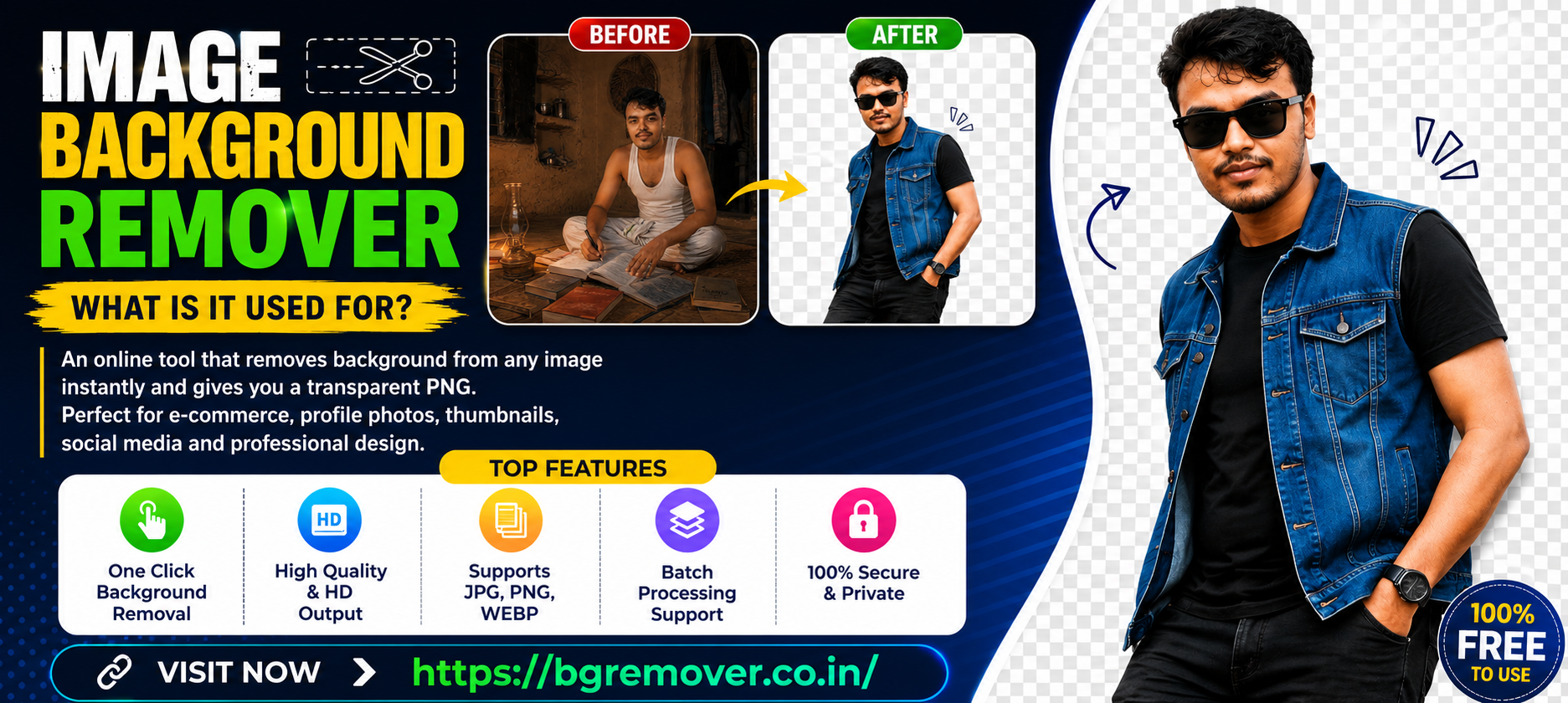
How to change the background from a photo
remove bg: In the digital age, images are an important part of people, whether personal or professional level, we use images in almost all cases. Whether it is a wedding, a meal, or when we go somewhere, we take pictures with our smartphones and save that moment on our mobile phone. And while doing all these things, many times if the background of our picture is not right, we want to change it, because many times the messy environment or any object ruins the beauty of the picture. So we want to change its background. In this case, many of us search how to change the background of the picture. There are many applications online with which you can do this easily. Those who are content creators on social media search for these things on Google to create thumbnails for their videos. So I have come to you with a very important topic. Today, from our website, you can easily change the background of your picture for free and convert and download HD quality pictures.
🖼 Advanced Background Remover
Upload multiple images and remove background after 20 seconds countdown!
Why is it important to change the background of a photo ? Why Use remove bg
So we all know how important pictures are in our lives, be it a wedding or a festival or a trip, we capture that moment with our mobile phones and share it with friends on various social media platforms. And at such a moment, when we want to change the background of the pictures taken in front of several objects and messy environments, we definitely need such a software or online website to remove the background. Now the main point is to discuss why changing the background of your picture is so important.
- Maintaining professional standards: Suppose you have taken a photo and a messy or busy background can ruin the look of your professional photo, so in that case it is very important for you to change the background of the photo. For example, in business profiles, conference presentations or online portfolios, it is very important to show the quality of the photo as professional. Here it is important to keep the photo clean and focused by changing or simplifying the background of the photo, that is why changing the background is so important in all these cases.
- E-commerce or online marketing: E-commerce means selling any product online or doing online marketing with any content. In that case, you have to design good graphics. In that case, you have to promote yourself by taking a picture of a brand and changing its background and creating a banner. In that case, this background remover website is needed, that’s why image background is so important in all these cases.
- Branding and Visual Identity: By changing the background, business owners can customize the image according to their brand colors and theme. The background of the image is changed to maintain a consistent look in the ads or banners posted on social media. This creates a brand consistency and professional image in the minds of the audience. As a result, the chances of the business owner’s products being sold in the market increase relatively.
- To create engaging content on social media: All the new content creators who want to earn money by connecting to social media first choose YouTube or Facebook. In that case, after creating their content, they need a thumbnail. Now, when it comes to designing a thumbnail, there are various applications in the market. In that application, the image has to be placed in it and customized well and shown to the audience. In that case, a background remover is needed. Because if you are creating unique quality content, you must change the background of the image and give it a unique style and prepare an attractive image in front of the audience.
See, the process of changing the background of an image is not just an editing method, it is a strategic tool. It increases the professional quality of the image and helps to retain the attention of the viewer. It helps to make branding stronger and ensures the success of online marketing. With the increasing competition in the digital world, one has to make the content of the image professional and attractive, in that case changing the background is so important.
perfect photo background changer | How to work remove bg
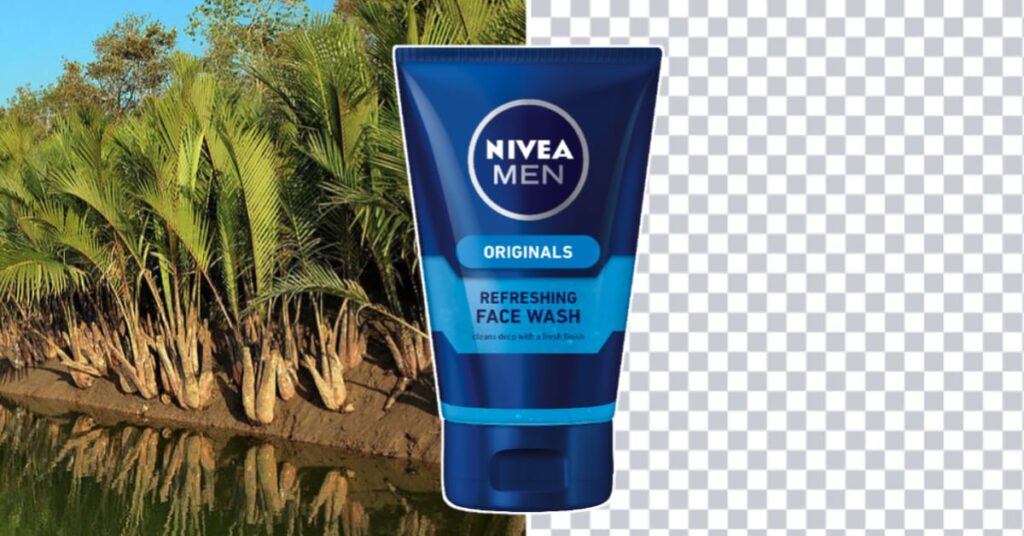
This tool usually actively confirms the user’s image and separates the content in it such as animals, people, plants or any object by changing the background and giving the image a new shape. In this tool, if the user wants, he can add a black and white or colored background generated from below to make his image more attractive. Our tool supports batch processing system, that is, with the help of this tool, you can change the background of multiple images at the same time. In addition, we do not collect any user data through our tool, the user can leave our website if he wants to generate his own image through fast loading.
Where are remove bg images used?
You may know that the number of content creators on social media has skyrocketed. Among the applications needed by all those content creators at this moment is the application with which they want to quickly make a thumbnail for their YouTube channel or a thumbnail for their Facebook page through the Android phone in their hands. In that case, their BG Remover tool helps. Apart from that, there are many applications with the help of which a professional YouTuber or content creator can create his own thumbnail and banner for advertisement, which are stated below-
- Pixellab
- Photoshop
- Kinemaster
- PicsArt
- Snapseed
- Photoroom
All of the above apps can be used to change the background of a photo, or if you want to add a background-changed photo to it using the background remover tool, those tasks can be done through all of these apps. YouTube content creators usually prefer these apps to prepare thumbnails for their YouTube channel videos.
remove bg tool All Table of Features
| No. | Functions | Features |
|---|---|---|
| 1 | Remove unwanted backgrounds from images | AI-based automatic background detection |
| 2 | Isolate the main subject from the background | Manual editing tools (brush, eraser, lasso) |
| 3 | Create transparent backgrounds | High-resolution output quality |
| 4 | Replace with custom colors or images | Supports PNG, JPG, WebP, and other formats |
| 5 | Process multiple images at once (batch processing) | Usable online and offline (software or web) |
Common mistakes and solutions when removing background from images
In this digital age, changing the background of your photos has become a very important task. Especially when creating e-commerce digital marketing and social media content or using background images for graphic design is a very important thing. However, while doing this task, many of us make several common mistakes, which basically spoil the quality of the photo and make the photo look unprofessional. If we know the correct method of removing the background, all these tasks become easier for us. So in today’s report, we will discuss the mistakes that you make while removing the background of your photo below.
The first mistake we make is the problem of cutting. Many times, without properly carding the object of the picture, we place that picture in the graphics and YouTube channel or Facebook photo creation process, which ruins the quality of the picture. If we want to change the background of a girl’s picture and use the eraser while doing that. There are many applications where the eraser is used to remove the background, at this time the picture is not understood properly. We cannot cut special messy objects like hair well through the eraser. In that case, we must keep in mind a website with the help of which you can easily change the background of the picture. https://bgremover.co.in/ If you visit this website and upload your picture, after twenty seconds it will remove the background and create a clear, bright high-quality picture. And with this picture, you can easily win the hearts of the audience by making it a thumbnail of your YouTube channel or a banner or a post on Facebook.
The second mistake we make is not completely removing the background, in most cases, even after removing the background, white and black spots remain around the image. As a result, when the image is used with a new background, it looks artificial or fake. The solution to this can be said to be using the transparency checker of the image so that it can be understood whether the background is really completely removed or not. If necessary, using the eraser tool or masking technique can solve this problem.
The third mistake we make is using low-resolution images. When the background is removed from a low-resolution image, the edges become blurry, reducing the quality of the image, making it unusable for professional use. The solution is to always use high-resolution images. If that is not possible, the image can be sharpened and cleared with an image sharpener after removing the background.
The most important thing to say is that all the applications available for removing background from images may seem easy, but in reality it is a perfect job, but if you forget a little, the quality of your image can be ruined. So instead of wasting your work, take the help of tool websites today and easily change the background of your image, this will make your image both professional in quality and the audience will look at your image with interest and attention.
Top Search Keywoard for Google
- remove bg
- remove background hd quality
- photo background remove
- background change
- background photo
- white background
- photo background change
- remove object from photo
- bg remove
- image bgremover
- remove busy background
- gb background remover
Frequently Asked Questions
1. What is a BG Remover?
A BG Remover is an online tool that automatically removes the background from images using AI technology. It helps create transparent PNG images quickly and easily.
2. Is the BG Remover free to use?
Yes, most background remover tools offer free image background removal with limited downloads or image quality options.
3. Which image formats are supported?
Commonly supported formats include JPG, JPEG, PNG, and WEBP.
4. How long does it take to remove a background?
Usually, the AI removes the background within a few seconds after uploading the image.
5. Can I download images with transparent backgrounds?
Yes, after processing, you can download the image as a transparent PNG file.
6. Does the BG Remover reduce image quality?
Most modern AI tools maintain high image quality while removing the background.
7. Can I use BG Remover on mobile devices?
Yes, background remover tools work on Android, iPhone, tablets, and desktop browsers.
8. Is my uploaded image safe and private?
Most trusted BG remover websites keep uploaded images secure and automatically delete them after processing.
9. Can I change the background after removing it?
Yes, many tools allow you to add a new color, custom image, or transparent background after removal.
10. Do I need editing skills to use a BG Remover?
No, AI-powered BG removers are beginner-friendly and require only uploading the image and downloading the result.